Every running workload
You see what your Pods really run, by image digest, not what a manifest claims. Private registries work with the Pods’ own pull secrets.

helm repo add xeol-operator https://rishang.github.io/xeol-operatorhelm install xeol-operator xeol-operator/xeol-operator -n xeol-system --create-namespaceEvery running workload
You see what your Pods really run, by image digest, not what a manifest claims. Private registries work with the Pods’ own pull secrets.
Dates, not labels
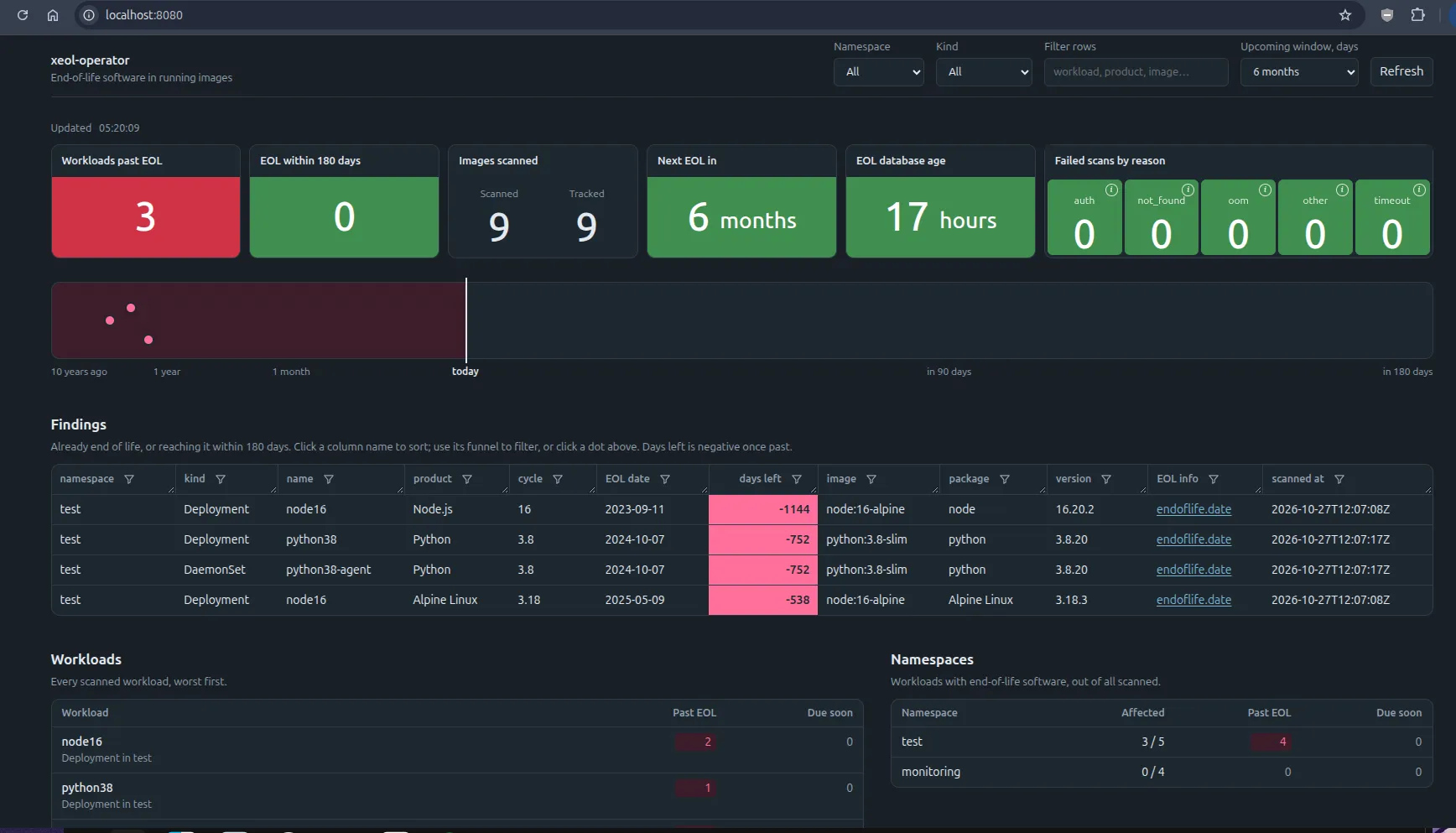
Every finding has its EOL date and the days left. So “due within 90 days” is just a query. The EOL data is rebuilt daily from endoflife.date.
Known vulnerabilities too
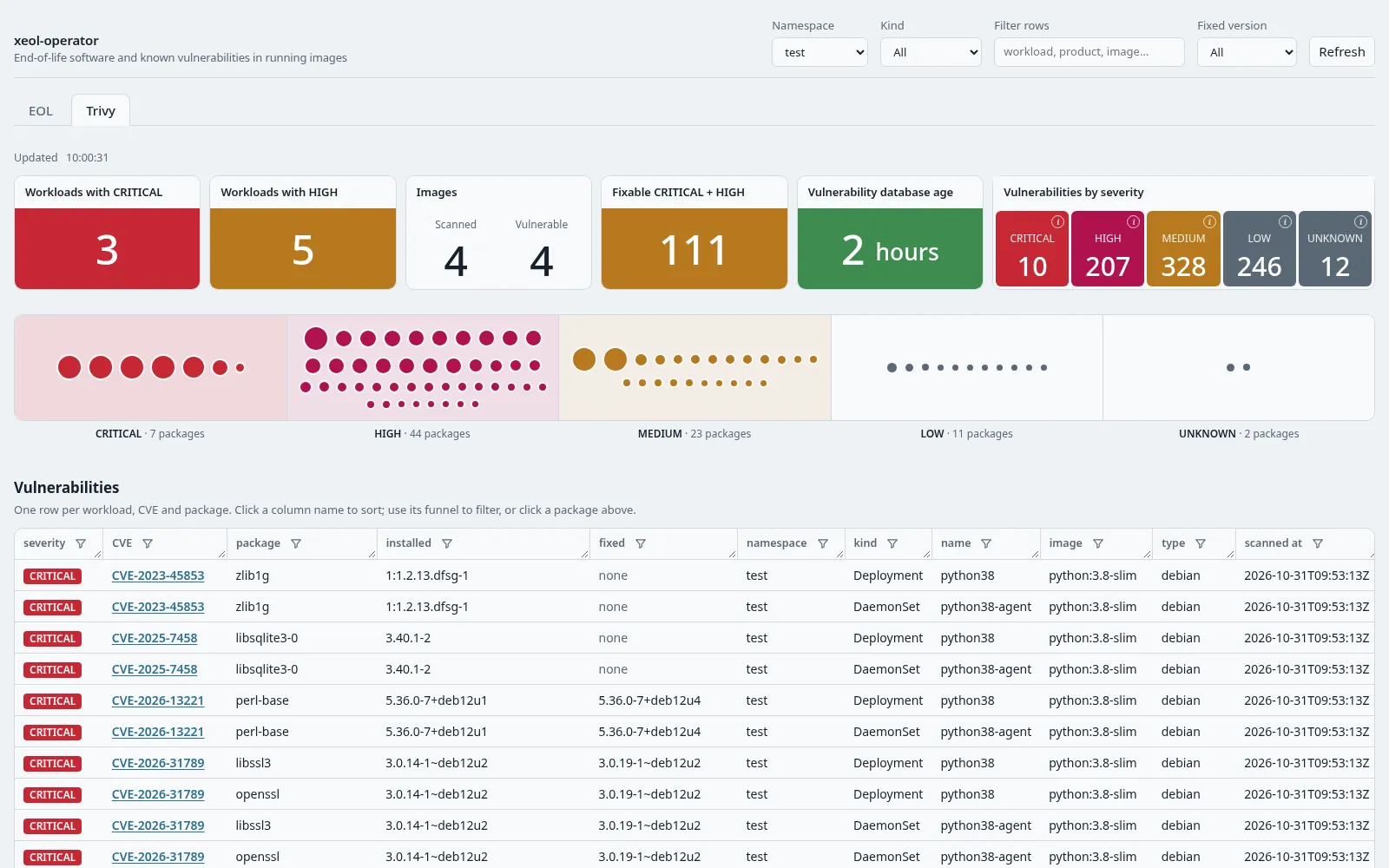
Turn on trivy.enabled to check for CVEs too. Trivy reuses the SBOM (software bill of materials) from the EOL scan. There’s no second image pull, and it takes about 0.2 s and 150 MB per image. Hide CVEs you’ve accepted by ID or package.
Fits your stack
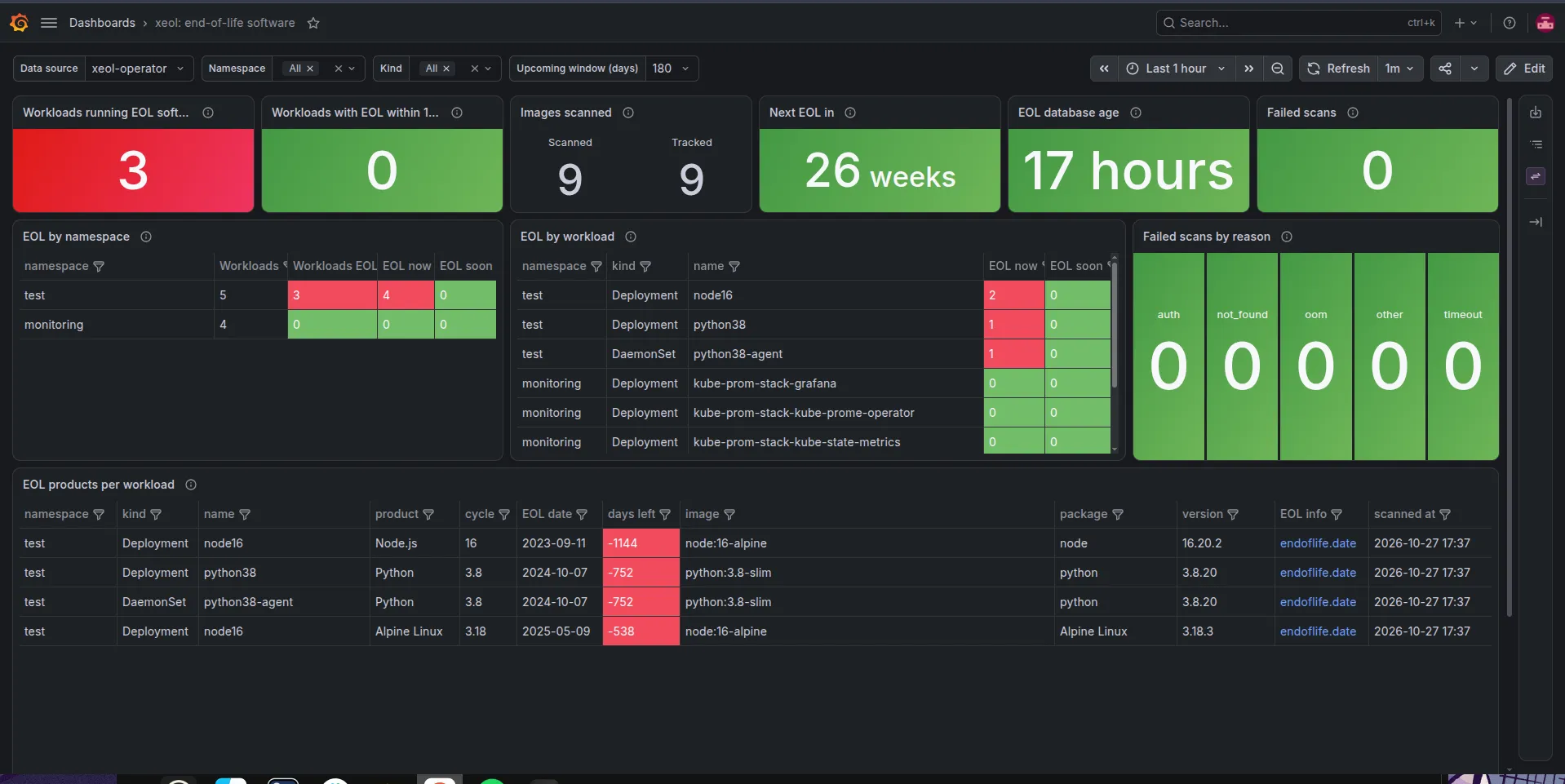
The chart ships Prometheus metrics, alert rules and Grafana dashboards. No Grafana? Use the built-in web page or the MCP tools.